

Key account management is more than just sales—it’s about building long-term, strategic partnerships with your most valuable clients. In today’s competitive market, the right software can be the difference between simply managing accounts and truly maximizing their potential.
A well-designed key account management (KAM) tool empowers teams to understand client needs, anticipate challenges, and deliver value consistently. But with so many options available, how do you know which features are essential? Let’s explore the must-have capabilities that ensure your KAM software drives measurable results.
Understanding the Role of Key Account Management Tools
Before diving into the features, it’s important to understand why these tools exist. Key account management software centralizes client data, streamlines communication, and provides actionable insights. It’s not just about storing information—it’s about enabling account managers to make informed decisions, strengthen relationships, and identify growth opportunities.
The best tools act as a strategic hub, connecting sales, marketing, customer service, and leadership teams around a shared view of the client. This alignment ensures that every interaction is informed, consistent, and value-driven.
Centralized Client Information Hub
Unified Data Access
A core feature of any KAM tool is a centralized repository for client information. This includes contact details, communication history, contracts, purchase records, and strategic plans. Having all this data in one place eliminates the need to search across multiple systems, saving time and reducing errors.
Historical Context
Beyond basic details, the tool should store historical interactions, past challenges, and previous solutions. This context allows account managers to approach conversations with a deep understanding of the client’s journey.
Relationship Mapping and Stakeholder Management
Visualizing Key Contacts
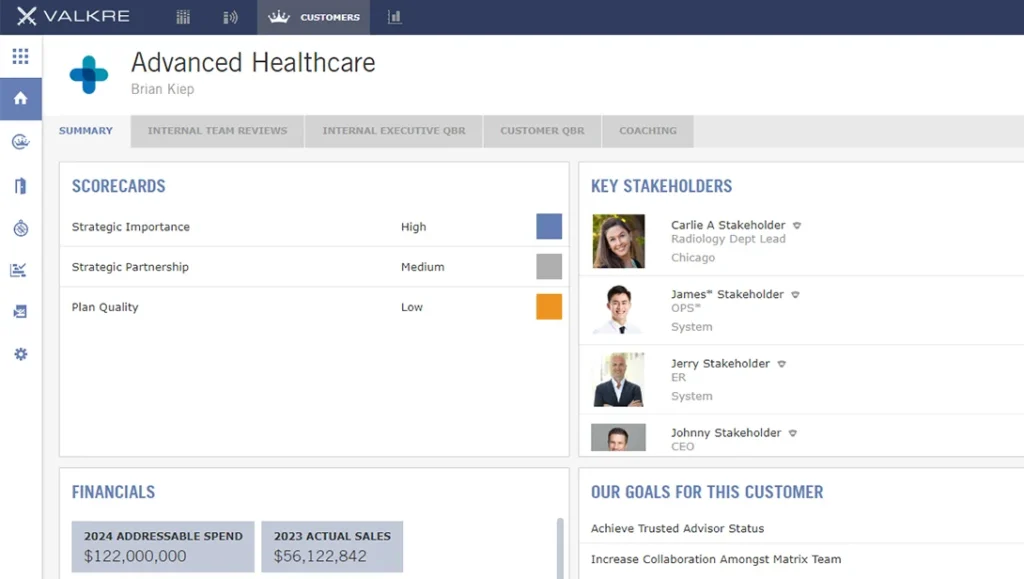
In complex organizations, multiple stakeholders influence decisions. A relationship mapping feature helps identify decision-makers, influencers, and champions within the client’s company.
Tracking Engagement Levels
By tracking the frequency and quality of interactions with each stakeholder, account managers can ensure no critical relationship is neglected.
Customizable Account Plans
Strategic Planning Templates
Effective KAM tools provide frameworks for creating tailored account plans. These plans outline objectives, strategies, and action steps for each client, ensuring a proactive rather than reactive approach.
Goal Tracking
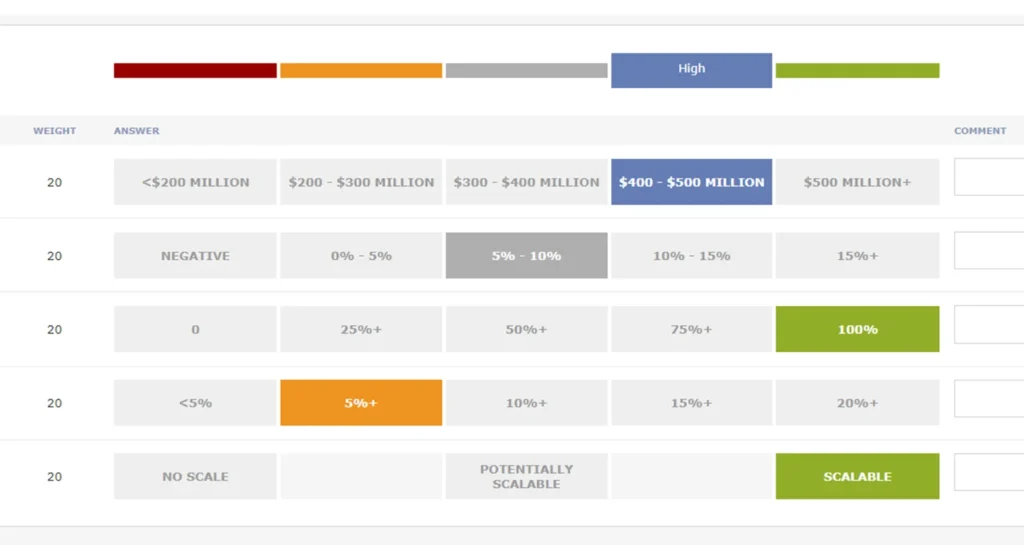
Built-in goal tracking allows teams to measure progress against agreed objectives, making it easier to adjust strategies when needed.
Integrated Communication Tools
Email and Meeting Integration
Seamless integration with email and calendar systems ensures that all client communications are logged automatically. This prevents important details from slipping through the cracks.
Collaboration Features
Internal chat or comment threads within the account record allow team members to share updates, insights, and ideas without switching platforms.
Performance Analytics and Reporting
Real-Time Dashboards
Account managers need quick access to performance metrics such as revenue trends, engagement levels, and project status. Real-time dashboards provide an at-a-glance view of account health.
Custom Reports
The ability to generate tailored reports for internal stakeholders or client presentations adds professionalism and clarity to account reviews.
Opportunity and Risk Management
Growth Opportunity Tracking
A strong KAM tool identifies upsell, cross-sell, and renewal opportunities based on client behavior and historical data.
Early Warning Indicators
Risk management features flag potential issues—such as declining engagement or missed deadlines—before they escalate into major problems.
Workflow Automation
Task Assignment and Reminders
Automated task creation based on account plans ensures that important actions are never overlooked. Reminders keep the team on track without manual follow-up.
Approval Processes
For larger organizations, built-in approval workflows streamline decision-making and maintain compliance with internal policies.
Integration with Other Business Systems
CRM and ERP Connectivity
A KAM tool should integrate smoothly with customer relationship management (CRM) and enterprise resource planning (ERP) systems. This ensures that financial, operational, and sales data flow seamlessly between platforms.
Marketing Automation Links
Integration with marketing tools allows account managers to align campaigns with client needs and track their impact on engagement.
Mobile Accessibility
On-the-Go Access
Account managers often travel or work remotely. Mobile-friendly interfaces ensure they can access client data, update records, and respond to inquiries from anywhere.
Offline Functionality
Offline access is particularly valuable for meetings in locations with limited connectivity, allowing updates to sync once the connection is restored.
Security and Compliance
Data Protection
Given the sensitive nature of client information, robust security measures—such as encryption and role-based access—are essential.
Regulatory Compliance
The tool should support compliance with relevant data protection and industry regulations, reducing legal risks for your organization.
Customization and Scalability
Tailored Workflows
Every organization has unique processes. The ability to customize fields, workflows, and dashboards ensures the tool fits your specific needs.
Growth-Ready Architecture
As your client base expands, the software should scale without compromising performance or usability.
Client Collaboration Portals
Shared Workspaces
Some KAM tools offer secure portals where clients can access project updates, share documents, and communicate directly with the account team.
Transparency and Trust
Providing clients with visibility into progress and deliverables fosters trust and strengthens the partnership.
AI-Driven Insights
Predictive Analytics
Artificial intelligence can analyze patterns in client behavior to predict future needs or potential churn risks.
Intelligent Recommendations
AI-powered suggestions help account managers prioritize actions that are most likely to drive positive outcomes.
Training and Support Resources
Onboarding Assistance
Comprehensive onboarding ensures that teams can start using the tool effectively from day one.
Ongoing Learning
Access to tutorials, webinars, and support channels helps users stay up to date with new features and best practices.
Bringing It All Together
The right key account management tool is more than just software—it’s a strategic partner in building stronger client relationships. By combining centralized data, relationship mapping, strategic planning, analytics, and automation, these tools empower account managers to deliver exceptional value consistently.
When evaluating options, focus on features that align with your organization’s goals and client engagement strategies. Remember, the most effective tools are those that integrate seamlessly into your workflow, adapt to your needs, and provide actionable insights that drive growth.
Final Thoughts
Investing in a robust KAM tool is an investment in your most important business relationships. By prioritizing features that enhance visibility, collaboration, and strategic decision-making, you position your team to not only meet client expectations but exceed them.
In a marketplace where loyalty is earned through consistent value delivery, the right technology can give you the edge you need to turn key accounts into long-term partners. Your key accounts are the lifeblood of your business—don’t leave their success to chance. Equip your team with the right tools to strengthen relationships, uncover new opportunities, and deliver unmatched value. Start exploring solutions today, contact our team, and take the first step toward transforming your client partnerships into long-term growth.